Parcel lockers, couriers and labels for your online store
The Delivery Hub brings eight Baltic carriers into one connection. The buyer picks a parcel locker or courier, and you print the label straight from the order.
Switch on the carriers you have a contract with. The rest are not shown to the buyer. For international shipments we connect UPS and FedEx as separate modules with your account details.
Omniva and Latvijas Pasts — lockers and courier, tracking link
DPD and Venipak — lockers, pickup points and courier
Smartposti and Unisend — lockers and courier
Velokurjers and Suti.lv — couriers
8
carriers through the Delivery Hub
Features
From delivery choice at checkout to tracking
01
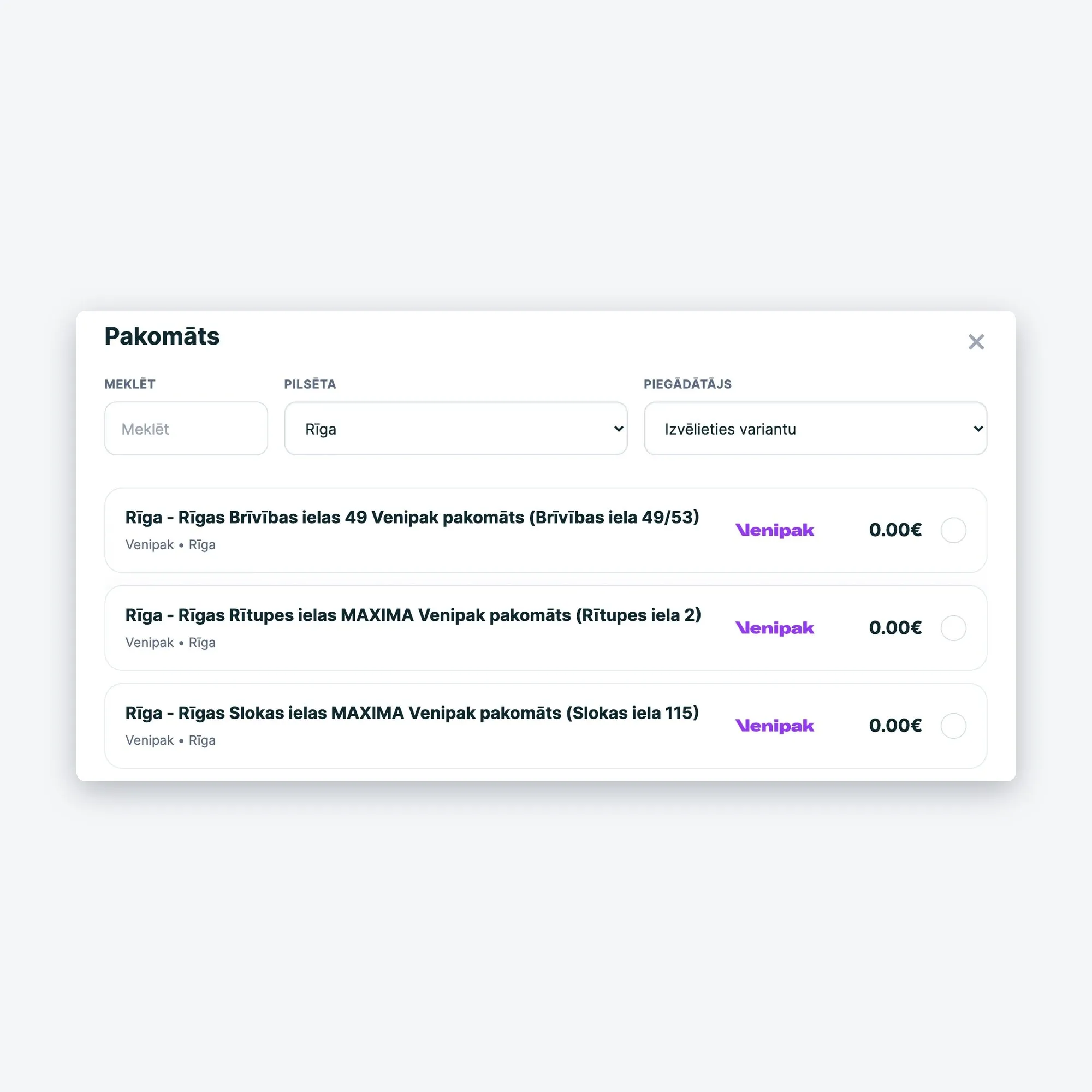
Locker choice at checkout
Lockers of all enabled carriers in one list; the chosen point is saved with the order.
02
Courier to the door
Courier delivery for each carrier with its own price and conditions.
03
Labels from the order
Weight, number of parcels, cash on delivery — and the label opens as a PDF.
04
Bulk printing
All selected labels in one PDF and courier booking for the chosen date.
05
Statuses and tracking
The tracking number goes to the order and the customer's email.
06
Delivery date and time
The buyer picks a day and time slot; you set availability per weekday.
How it works
Steps to your first label
01
Connection
We connect your store to the carrier gateway — nothing to install.
02
Carriers
Switch on the ones you have a contract with.
03
Delivery methods
Locker or courier with price, region and conditions.
04
Go live
Delivery methods appear at checkout, and you can ship.
Yes. The Delivery Hub ships on your behalf, so the contract and rates are between you and the carrier. In the panel you only switch on carriers you have a contract with.
Yes. You switch on cash on delivery when creating the shipment and enter the amount. In the settings you enter the bank account the carrier transfers the money to.